Every great event has that one line that never gets shorter: the caricature artist. Guests love walking away with a drawing of themselves, big smile, bigger head, instantly recognizable. Now your booth can do it too, for every guest, all night long.
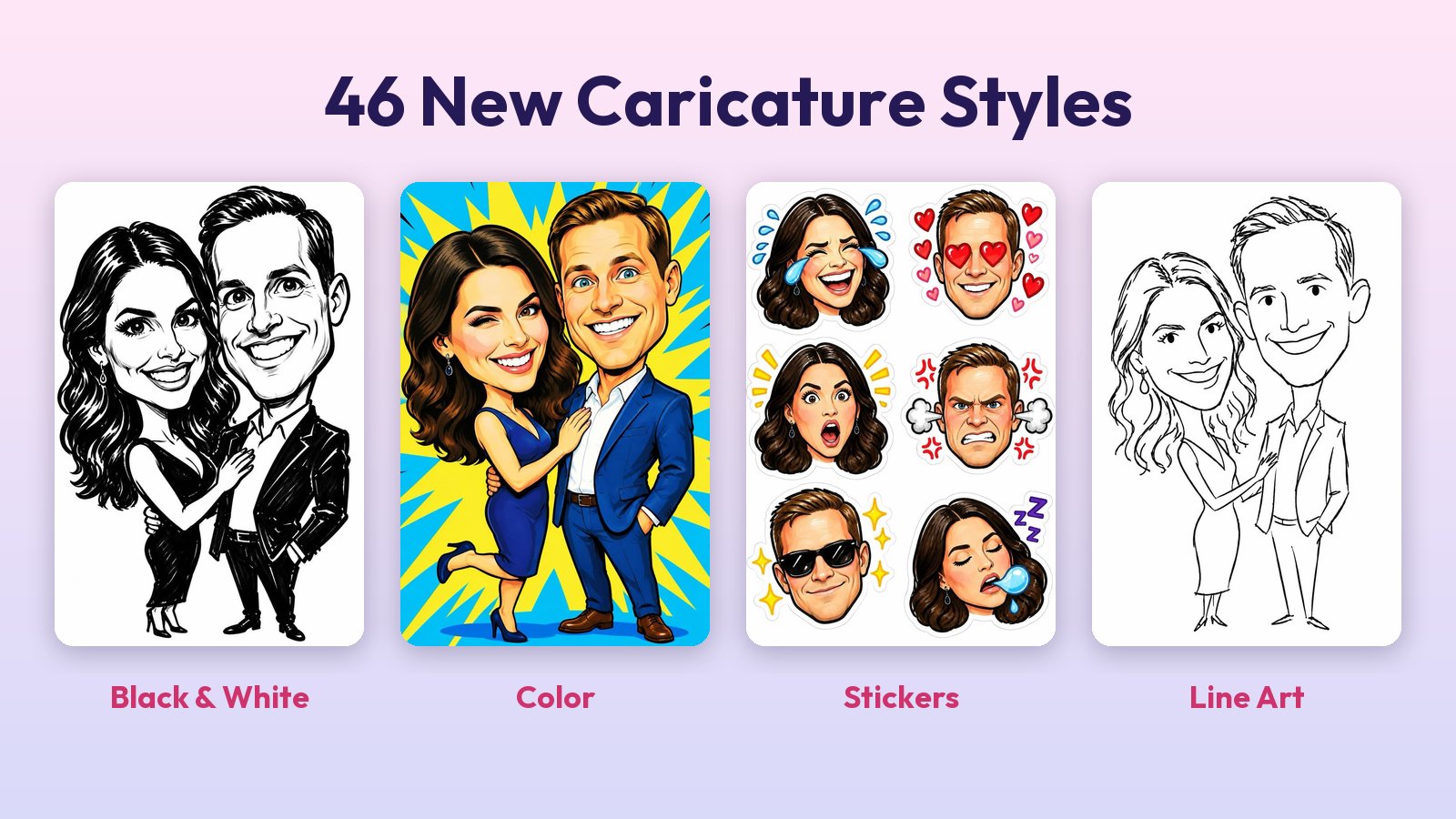
AI Portraits in LumaBooth and LumaBooth for Windows now include 46 caricature styles in four new categories: Black & White, Color, Stickers and Line Art. You asked for caricatures on our feedback board, and this is the answer. They are live now, with no app update needed. If your booth already runs AI Portraits, open the dashboard and pick one.
Here is each category in action, every one made from the same guest photo.
Black & White: The Classic Street Artist
Twelve hand-drawn looks in black marker, pen, pencil and charcoal. Quick five-minute marker sketches, bold brush heads with solid black hair, messy sketchbook ink and dramatic smudged charcoal. This is the look guests know from boardwalks and wedding receptions.
Color: Big, Bright and Full of Personality
Fifteen styles that bring the color: pop art with a bold sunburst, spray paint on a graffiti wall, ink with watercolor splashes, neon brush marker, chibi crews with tiny bodies and painted gouache. Perfect for birthdays, proms and anything with a dance floor.
Stickers: A Whole Sheet From One Photo
Eleven sticker sheets, each with a different caricature on every sticker. Reaction faces with big emotions, kawaii hearts and sparkles, retro round badges, graffiti slaps and Y2K chrome. One photo becomes a full sheet guests will want to print and share.
Line Art: Clean Lines, Ready to Draw
Eight styles drawn in one clean pen weight, with no shading and no solid fills. Continuous line portraits, wobbly five-minute doodles, comic panels with bursts and speed lines, glam sparkles and swirls, even cubist and blueprint looks. Simple enough for a coloring page, and clean enough to send to a pen plotter.
Made for Couples, Families and Big Groups
Every style keeps each guest’s own hair, glasses and facial hair, and plays up heads and smiles in a friendly way, so everyone stays recognizable. Everyone in the photo ends up in the same drawing, so a group of four gets one caricature of all four, and a sticker sheet gets everyone on it.
How to Turn It On
- Open your event in the LumaBooth dashboard.
- Go to AI Portraits and open the art style picker.
- Scroll to the four caricature categories and pick a style.
Use a caricature style on its own for the classic look, or pair it with one of your AI Portrait themes. It works the same on iPad, iPhone, Mac and Windows.
Caricatures are live now in AI Portraits for LumaBooth and LumaBooth for Windows. New to LumaBooth? Get it on the App Store or download it for Windows.